Shift Handover
Auto-generate end-of-shift reports from live platform data. Export PDF or send to incoming analyst.
Route:
/shift-handover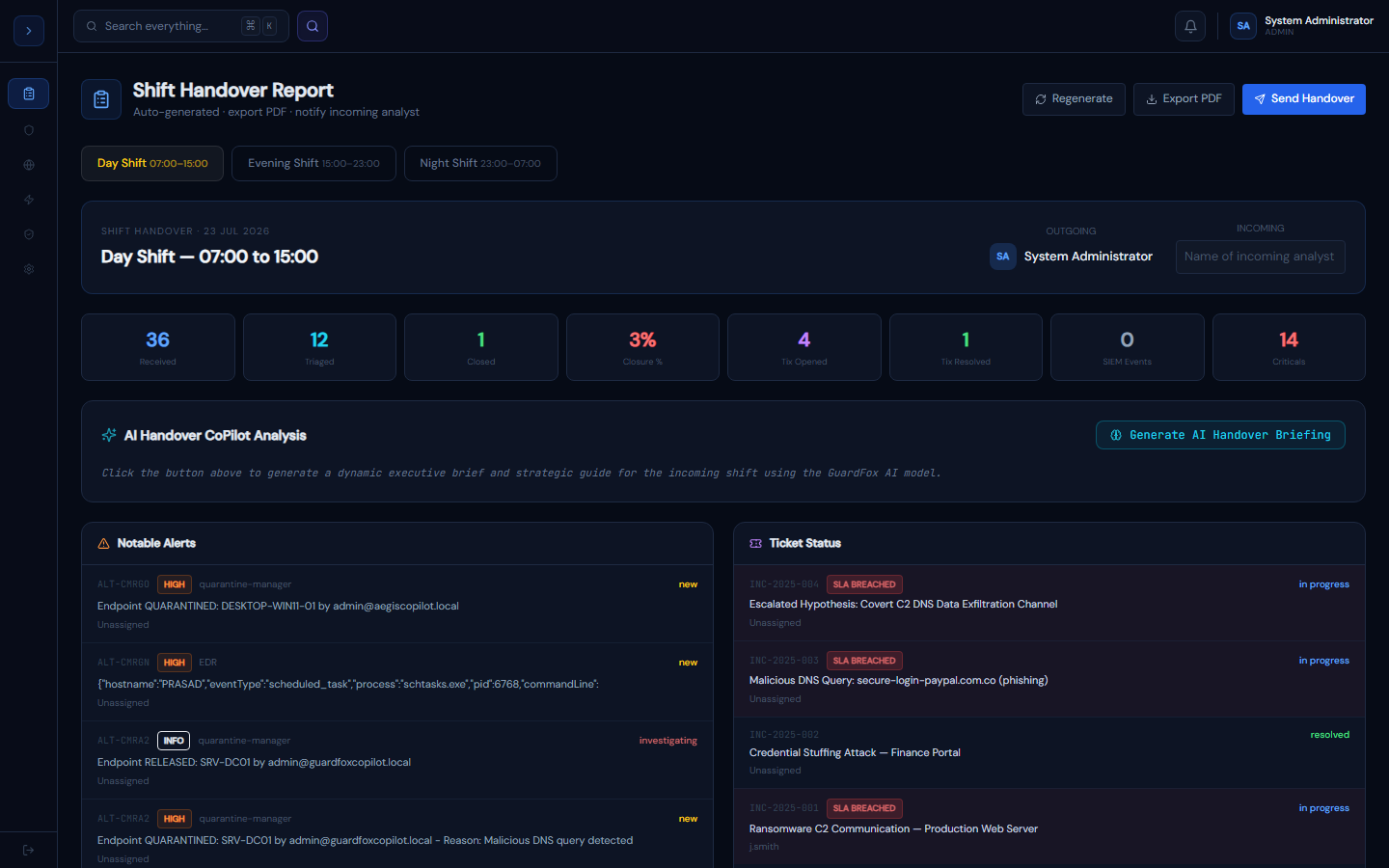
How it works
OverviewHow Shift Handover Reports Work
At end of shift, GuardFox Security Systems automatically pulls:
- Alert counts (received, triaged, closed) for the shift window
- Ticket status (open, in-progress, resolved)
- SIEM event volume
- Any SLA-breached tickets
- EDR agent offline count
This data is presented as a structured report that the outgoing analyst can review, annotate, and send to the incoming shift.
Shift windows
- Day shift: 07:00–15:00
- Evening shift: 15:00–23:00
- Night shift: 23:00–07:00
All times are based on your server timezone, configurable in Settings.
Creating a handover report
How to useCreating a Handover Report
- Go to Operations → Shift Handover
- Select your shift (Day / Evening / Night)
- Click Regenerate to refresh with latest data
- Review the report:
- Check notable alerts are correctly captured
- Verify ticket statuses are current
- Add shift notes using the note type buttons (Action Taken / Observation / Escalation / Pending)
- Add outstanding items for the incoming shift
- Click Send Handover to notify the incoming analyst by email
- Optionally click Export PDF for a permanent record
What the incoming analyst sees
An email with:
- Shift stats summary
- Notable alerts with status
- Open tickets with SLA indicators
- All shift notes
- Outstanding items list
SLA breach indicator
Tickets that have breached their SLA show a red SLA BREACHED badge. These should be the first priority for the incoming shift.