Audit Log
Immutable record of every privileged action across the platform — who did what, when, from where. Required for SOC2, ISO27001, and PCI DSS.
/audit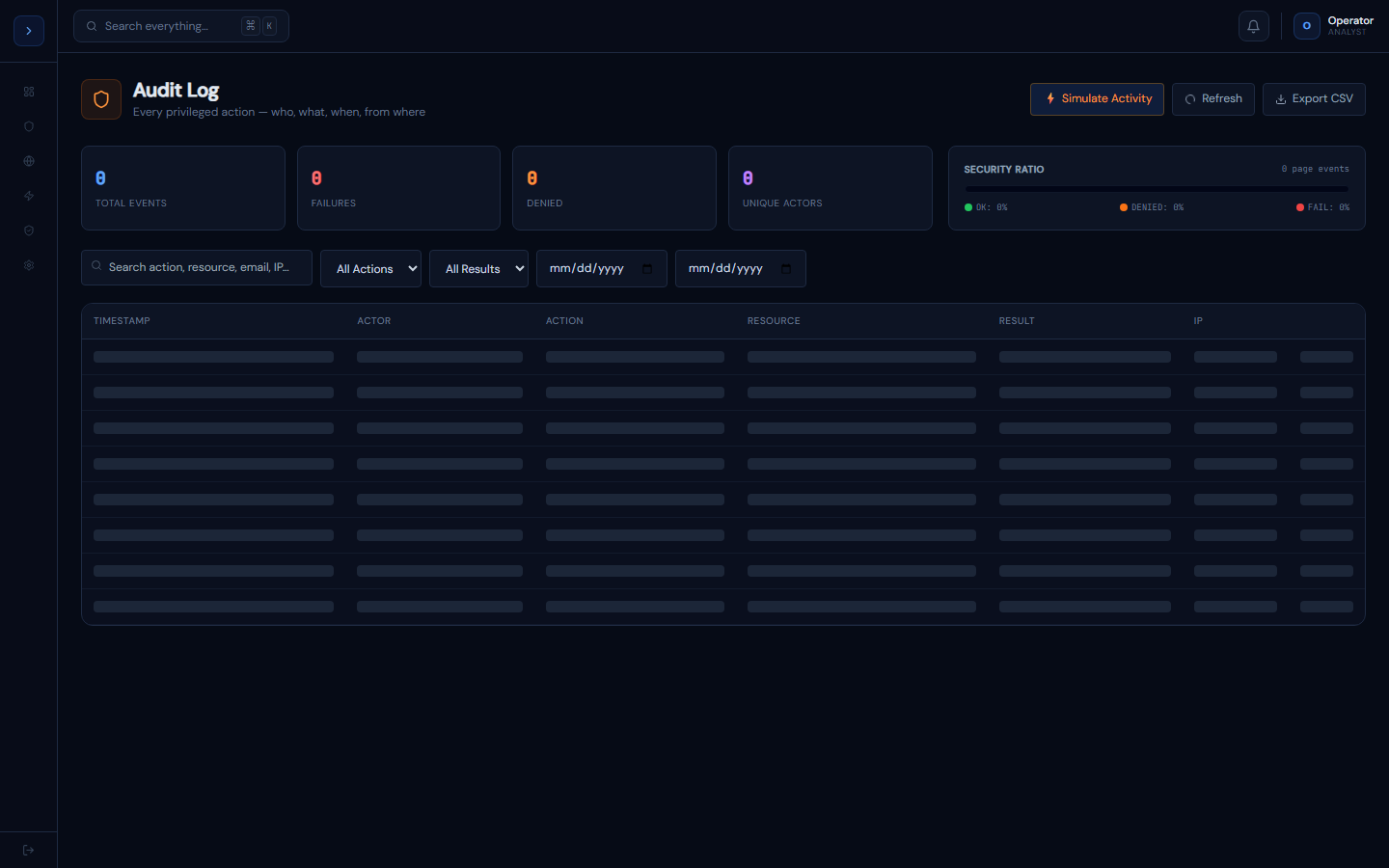
How the audit log works
OverviewHow the Audit Log Works
Every privileged action in GuardFox Security Systems writes a record to the AuditLog table via the createAuditLog() helper in lib/audit.ts. The log is append-only — entries are never modified or deleted.
What gets logged automatically:
- User login and logout (via NextAuth)
- EDR agent quarantine and release commands
- Alert status changes (triage, close, escalate)
- User role changes
- Playbook creation, enable/disable
- Incident ticket updates
- Report generation
- Settings changes
Fields stored per entry:
actorId    → who did it (User.id)
actorEmail → their email
action     → dot-namespaced e.g. "edr.command.quarantine"
target     → what was acted on e.g. "agent:ag-001 (DESKTOP-HR-03)"
detail     → JSON blob with result, IP, metadata
createdAt → timestamp (auto)Access control
Audit log is visible to MANAGER, SOC_L3, and ADMIN roles only. Analysts cannot see it.
Using the audit log viewer
How to useUsing the Audit Log Viewer
Go to Administration → Audit Log (MANAGER+ role required).
Filters
- Search — free text across action, target, and IP fields
- Action dropdown — populated from real distinct actions in your DB (login, quarantine, role-change, etc.)
- Result — Success / Failure / Denied
- Date range — from/to date pickers
Expandable rows
Click any row to expand it and see:
- Full user agent string (browser/OS of the analyst)
- Exact ISO timestamp
- Raw metadata JSON (contains IP, result, and any action-specific context)
CSV export
Click Export CSV to download the current filtered view. Column order: Timestamp, User, Role, Action, Resource, Result, IP. Useful for audit evidence packages.
Pagination
Results are paginated at 50 per page. Use the Prev/Next buttons at the bottom. The total count is shown (e.g. "Page 1 of 23 · 1,142 total entries").
For compliance audits
The auditor will typically ask for: all login events for a date range, all role changes, and all privileged actions (quarantine, delete, config change). Use the Action dropdown to filter to each of these and export as CSV.