Support Center
Report platform issues, submit feature requests, and check system status.
/support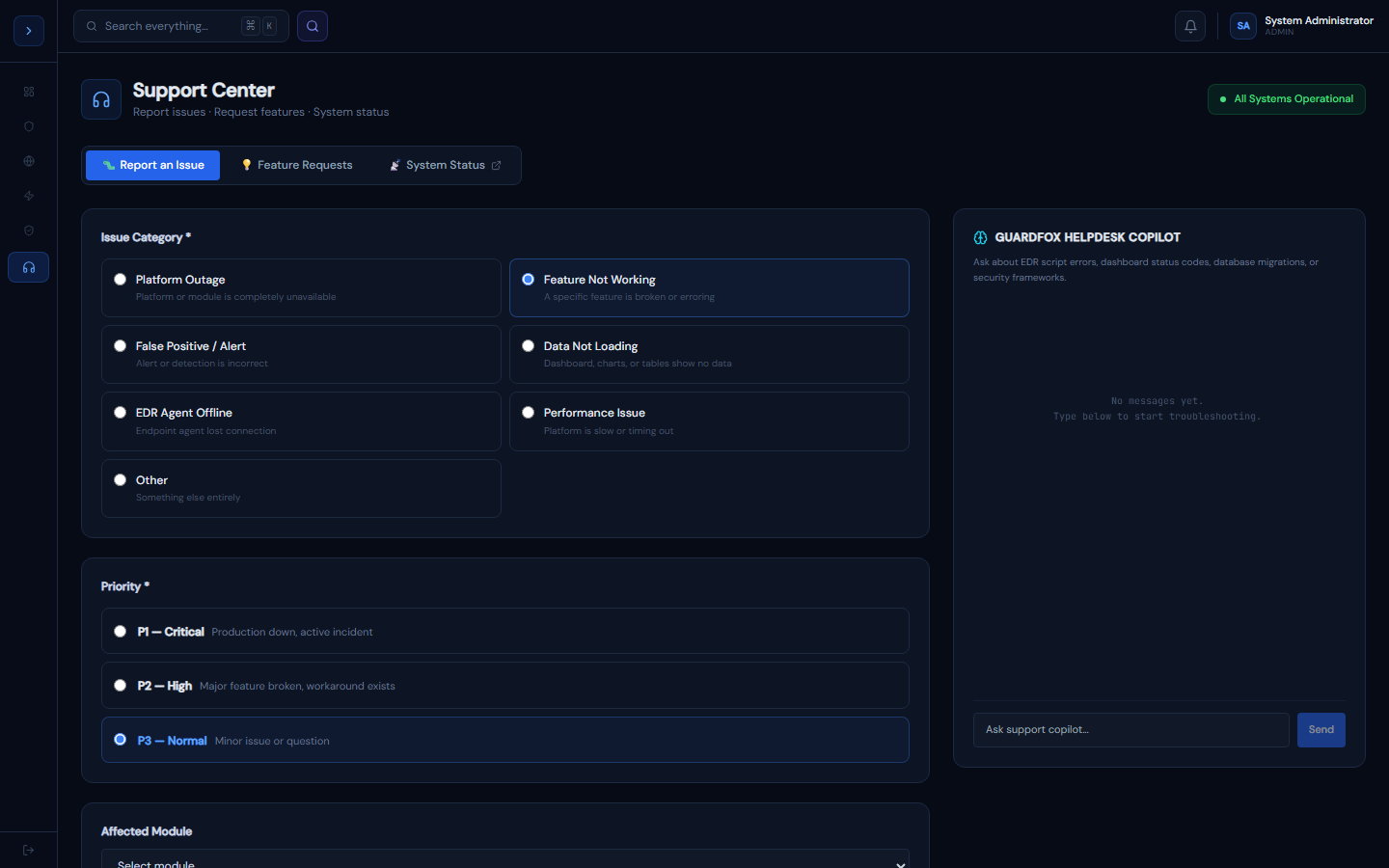
Reporting an issue
How to useReporting an Issue
Go to Support → 🐛 Report an Issue.
Priority levels
| Priority | Use case | Response SLA |
|---|---|---|
| P1 — Critical | Platform down, active incident blocked | 30 minutes |
| P2 — High | Major feature broken, workaround exists | 4 hours |
| P3 — Normal | Minor issue, cosmetic bug, question | 24 hours |
P1 issues trigger an immediate Slack + email alert to the on-call engineering team.
What to include
- Which module is affected
- What you expected to happen
- What actually happened
- Any error messages (copy the exact text)
- A screenshot if possible
You'll receive a ticket number (e.g., SUP-284719) by email with status updates.
Checking system status
How to useChecking System Status
Go to Support → 📡 System Status for real-time health of all platform components.
Status indicators
- 🟢 Operational — fully functional
- 🟡 Degraded — reduced performance or partial outage
- 🔴 Outage — component unavailable
Components monitored
SIEM Ingestion · AI Auto-Triage · EDR Agent Gateway · Alert Processing · Database (RDS) · Threat Feed Sync · Web Application · API Gateway
During an outage
- Check the active incident banner for updates
- The on-call team posts updates every 15 minutes during P1 incidents
- Sign up for status page email notifications in your profile settings
In-app widget vs. the public status page
The in-app view above requires being logged in — if the platform itself is unreachable, you can't get to it. For that reason there's also a standalone, publicly-reachable status page at status.guardfoxsecurity.com — a static page maintained separately from the running app, so it stays reachable even during an app-wide outage. Check the public page first if the app won't load at all; use the in-app widget once you're logged in for more granular per-component detail.