Integrations
Org-wide outbound integrations (Jira, ServiceNow, PagerDuty, Opsgenie, Teams, Slack, Discord) used by SOAR playbook actions. ADMIN only.
/integrations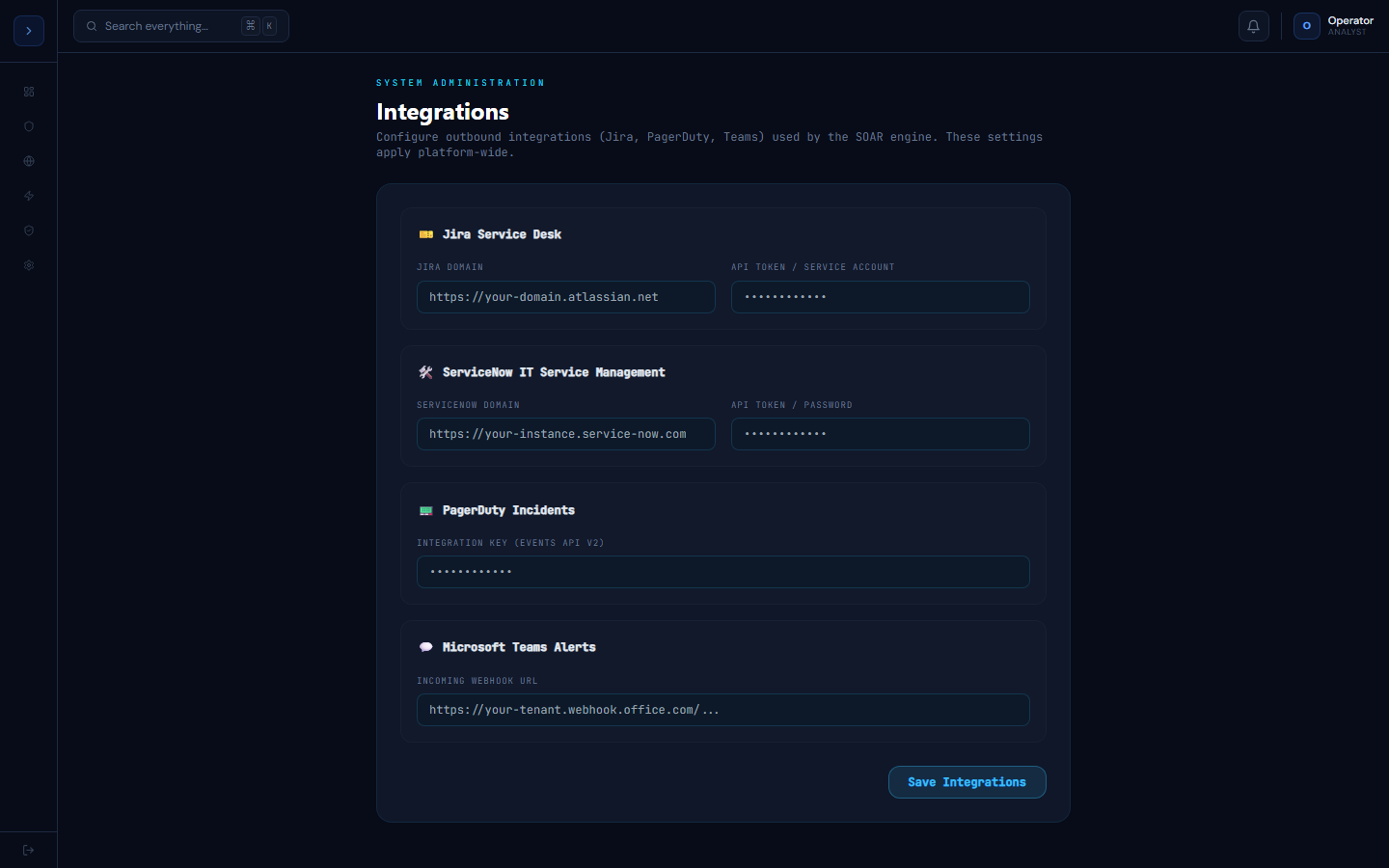
Configuring outbound integrations
OverviewIntegrations
This page configures the credentials SOAR playbook actions use to reach outside GuardFox — opening a ticket in Jira or ServiceNow, paging on-call via PagerDuty or Opsgenie, or posting to a Slack, Teams, or Discord channel. Split out of the personal Settings page since these apply platform-wide for the whole org, not just the signed-in user.
| Integration | What it's used for |
|---|---|
| Jira Service Desk | jira_create_issue SOAR action files an issue via the Jira REST API (/rest/api/2/issue) |
| ServiceNow | servicenow_create_incident SOAR action opens an incident via the Table API (/api/now/table/incident) |
| PagerDuty | pagerduty_trigger SOAR action triggers an incident via the Events API v2 |
| Opsgenie | opsgenie_trigger SOAR action creates an alert via the Opsgenie Alerts API |
| Microsoft Teams | teams_message SOAR action posts to the configured incoming webhook |
| Slack | send_slack SOAR action posts to the configured incoming webhook |
| Discord | discord_message SOAR action posts to the configured incoming webhook |
Values are stored in the AppSetting table; secrets (API token, integration key) are never echoed back to the browser after saving — the field shows a masked placeholder instead. Every save is recorded in the audit log as integrations.update.
This page requires the ADMIN role — a MANAGER or ANALYST won't see it in the sidebar and the underlying API rejects non-ADMIN requests server-side.